Illuminate Your Virtual Presence: A Review of the Video Conference Lighting, Webcam Monitor Light Bar
Our Product Insight
In today’s digital age, video conferencing has become an integral part of our daily lives. Whether you’re attending a meeting, hosting a podcast, or streaming your favorite game, having the right lighting can significantly enhance your presentation. Enter the Video Conference Lighting, Webcam Monitor Light Bar—a versatile lighting solution designed to elevate your virtual presence. This LED light kit promises to provide dimmable and flicker-free light, making it an excellent alternative to traditional ring lights.Key Features
The Video Conference Lighting kit comes packed with features that cater to the needs of content creators and professionals alike. Here’s a closer look at what makes this product stand out:- Dimmable Brightness: One of the standout features is its adjustable brightness settings. You can easily customize the light intensity to suit your environment, ensuring you always look your best on camera.
- Flicker-Free Technology: Flickering lights can be distracting and unprofessional. This light bar is designed to provide a steady beam, allowing you to focus on your presentation without worrying about visual distractions.
- Easy Setup: The light bar is designed to be user-friendly. It can be mounted on your monitor or laptop without any hassle, making it a convenient addition to your workspace.
- Compact Design: Its sleek and minimalistic design means it won’t take up much space on your desk, which is a significant advantage for those with limited workspace.
- Versatile Use: Whether you’re using it for Zoom calls, live streaming, or podcasting, this light bar adapts to various scenarios, making it a multifunctional tool for anyone in the digital space.
Who It's For
This lighting solution is ideal for a wide range of users: - Remote Workers: If you’re working from home, having good lighting can make a world of difference in how you present yourself during video calls. This light bar helps you look professional and engaged. - Content Creators: For those who create videos, podcasts, or live streams, quality lighting is crucial. This product can help enhance your visuals, making your content more appealing to viewers. - Educators and Trainers: If you’re teaching online, clear and flattering lighting can help maintain student engagement. This light bar can help you create a more inviting learning environment.Pros and Considerations
Like any product, the Video Conference Lighting kit has its pros and cons. Here’s a balanced look at what you might love and what to keep in mind:Pros:
- Enhanced Visibility: The adjustable brightness allows for optimal lighting in various settings, ensuring you’re always well-lit.
- User-Friendly: The easy setup means you can start using it right away without any technical know-how.
- Compact and Portable: Its lightweight design makes it easy to transport, perfect for those who may need to move their setup frequently.
Considerations:
- Limited Color Temperature Options: While the light is dimmable, some users may prefer more control over color temperature settings for different lighting effects.
- Power Source: Depending on your setup, you might need to consider how you’ll power the light bar, as it may require a USB connection.
In a world where first impressions matter, the Video Conference Lighting, Webcam Monitor Light Bar is a valuable addition to your virtual toolkit. With its dimmable and flicker-free light, it caters to a variety of users, from remote workers to content creators. While there are a few considerations to keep in mind, the benefits it offers in enhancing your online presence are hard to overlook. If you’re looking to improve your video quality and make a lasting impression, this lighting solution might just be what you need. Check current price to see if it fits your needs and elevate your virtual experience today!
If you're looking to enhance your video conferencing experience, consider the KOORUI E2412F 24 Inch FHD Monitor, which features a 100Hz refresh rate and excellent eye care technology. For those who want stunning visuals, the Dell 27 Plus USB-C Monitor - S2725QC offers 4K UHD resolution and vibrant colors with its 99% sRGB coverage. The LG MONITOR 27U411A-B is a fantastic choice for crisp image quality with its 120Hz refresh rate and HDR10 support, making it perfect for both work and leisure. If you need a reliable monitor that provides exceptional color accuracy, the Dell P2425H 24 Inch Full HD Monitor is equipped with IPS technology and a 99% sRGB rating. Finally, the Samsung LS34C500GAUXXU 34" WQHD Monitor delivers an immersive experience with its 3440x1440 resolution and dynamic FreeSync support, ideal for video calls and presentations. Check out the Dell 27 Plus USB-C Monitor - S2725QC, 4K UHD (3840x2160), 120Hz, IPS, 4ms, AMD FreeSync Premium, 99% sRGB, Height Adjust, Built-in Speakers, 2 USB-C, for great value. Check out the LG MONITOR 27U411A-B - FHD 1080p IPS 27 inch, 120 Hz, 5ms GtG, Computer desktop display with VRR, HDR10, Smart Energy Saving, Anti-Glare, D-Sub, HDMI, for great value. Check out the Dell P2425H 24 Inch Full HD (1920x1080) Monitor, 100Hz, IPS, 5ms, 99% sRGB, USB-C, DisplayPort, HDMI, VGA, 4x USB, 3 Year Warranty, Black for great value. Check out the Samsung LS34C500GAUXXU 34" WQHD Monitor - 3440x1440, 100Hz, VA, Displayport, HDMI, Freesync for great value.
More Products You Might Like

NVIDIA-Certified Professional: AI Networking: 500 Practice Q

Window 11 Pro Optiplex Core i5 Series Desktop Small Form Des
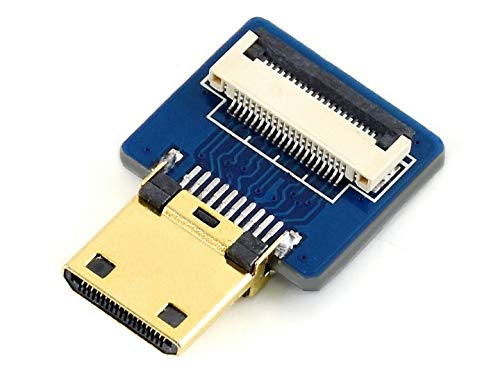
SB Components DIY Cable Adapter: Straight HDMI Ribbon to Bui

The Operational Excellence Library; Mastering Accounting sof

MESH-ROUTER, 870MHZ, -30 TO 85DEG C, Networking - Wireless P
Disclaimer: This article has been generated through our AI content insight system and is intended for general informational purposes only. Please carry out your own research and review product details directly before making any purchase decisions.